Site DiaryBuilders daily log for Android
Your site diary, done in 60 seconds a day
Log the day’s labour, weather, work and photos. Sign it and lock it. Get extra work signed by the client on the spot. Then send a professional PDF report in two taps. Site Diary is made for builders, subcontractors and site supervisors.
Coming soon to Google Play
Site Diary is being tested now, and arrives on Google Play soon.
- 2 months free
- No ads
- No account
- Works offline


What it does
Everything a site diary should be, without the paperwork
A paper diary gets wet, lost or filled in on Friday night. Site Diary makes the record on the day, on site, and keeps it safe on your phone.
-
The daily record
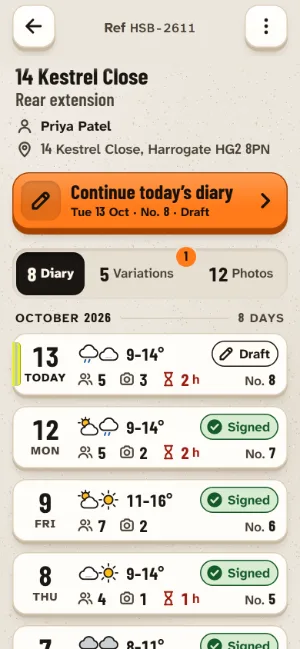
A day’s record in under a minute
Open the job, tap Today’s diary, and most of the day is already there. Add who was on site, what got done and what held you up, with big buttons that are easy to hit with dusty hands or touchscreen gloves.
- The weather fills itself in from the forecast when there is a signal.
- Same as last time copies yesterday’s labour and plant in one tap.
- Deliveries, delays and hours lost, visitors and inspections, toolbox talks and notes.
- Everything saves as you go. Missed a day? Fill it in afterwards, clearly dated.
-
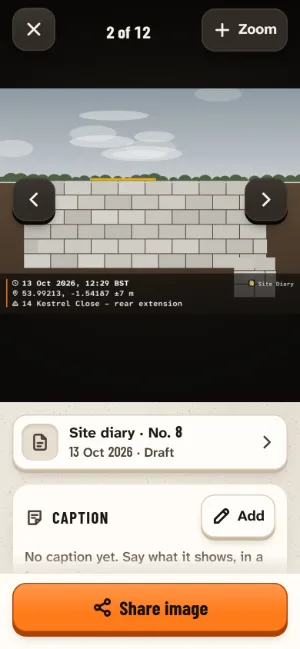
Photo evidence
Photos that show when and where
Every photo you take in Site Diary is stamped as it is taken with the date, the time and time zone, the GPS position and how accurate it is, and the job’s name. The stamp is part of the picture, so it goes wherever the photo goes.
- Photos from your gallery are clearly marked Imported, with the date they were taken if the file has one.
- Add a caption to say what a photo shows. It prints with the photo in your reports.
-
Records you can stand behind
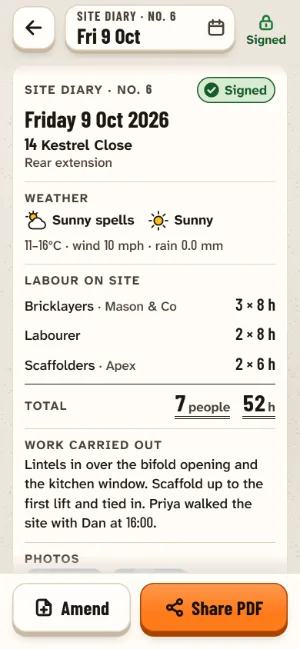
Sign it, and it’s locked
At knock-off, sign the day with your finger. The record locks. If something needs adding later, it goes in as a dated amendment beside the original, which is never overwritten.
- Each signed record carries a fingerprint, and its PDF says whether the record still matches what was signed.
- Clear, dated records made on the day are what you want to have if a dispute comes up.
-
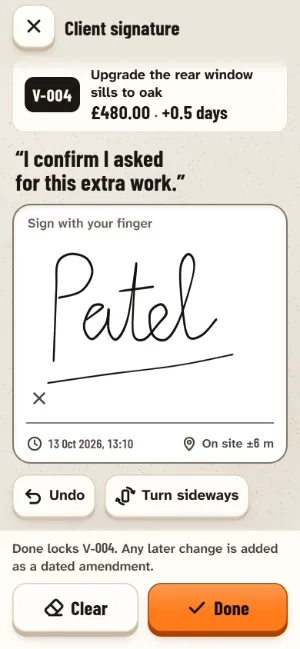
Variations and change orders
Extra work, signed on the spot
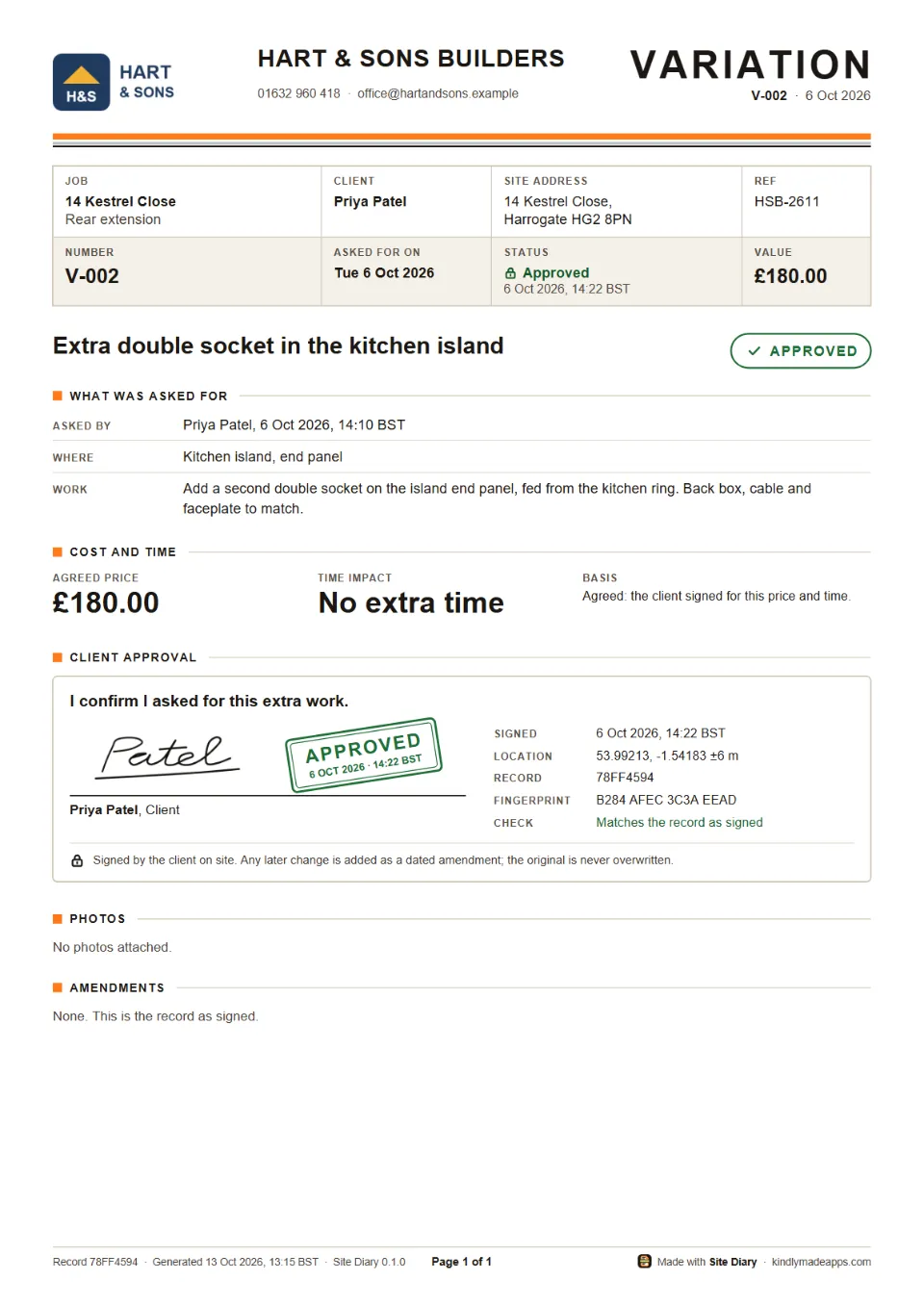
When the client asks for something extra, write it up as a variation (a change order in the US and Canada): what, where, who asked and when, the price and any extra time. Hand them the phone, and they sign under “I confirm I asked for this extra work.”
- The signature records the time and, with location on, where it was signed.
- Draft, awaiting signature, approved, rejected or withdrawn: you always know what is still open.
- Send the signed variation as a PDF before you start the work.


PDF reports
Reports that look like a serious firm’s paperwork
Your business name at the top, clean tables, photos with their stamps, and the signature at the bottom. Share a PDF to WhatsApp, email or Drive in two taps.
-
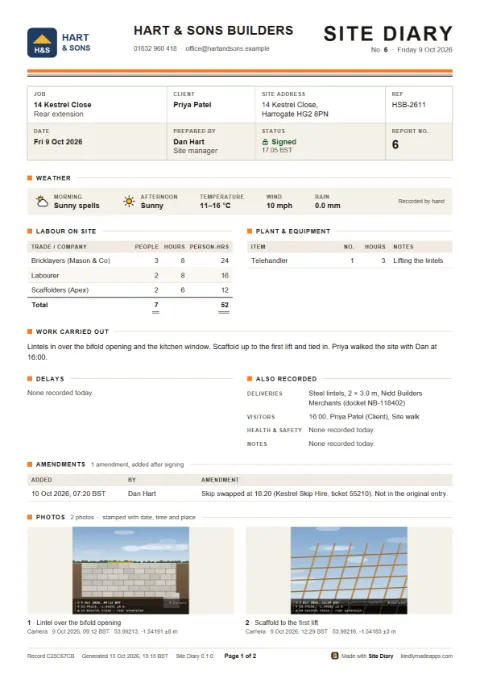 A signed daily report
-
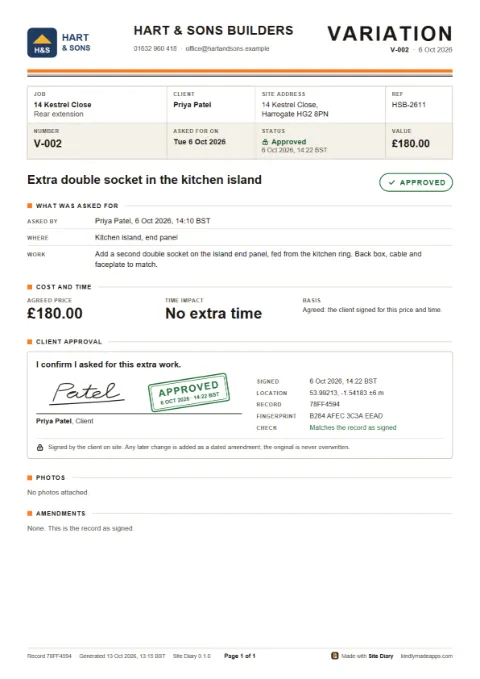 An approved variation
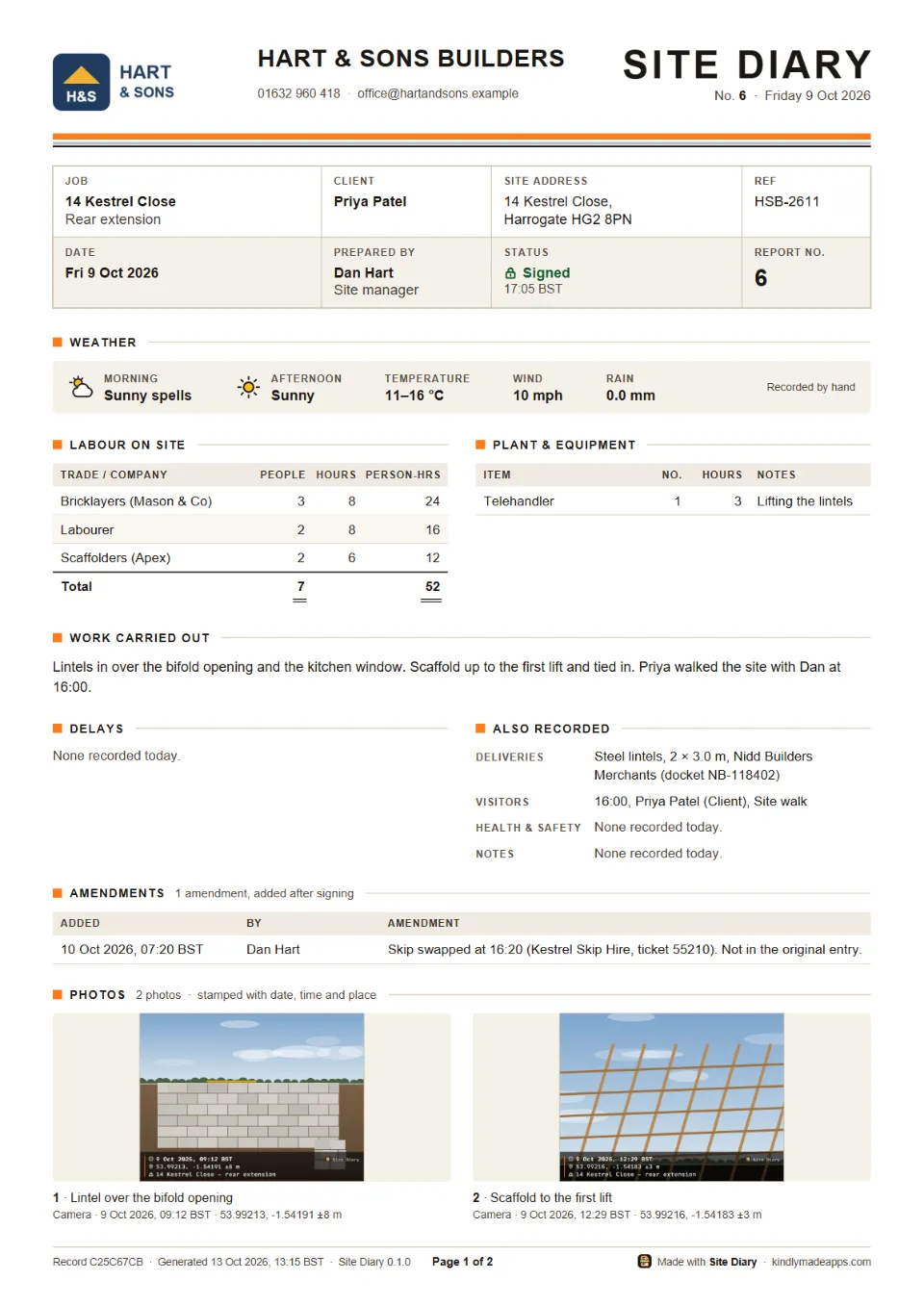
- Daily reportOne day: weather, labour and plant, work, deliveries, delays, visitors, health and safety, photos and sign-off.
- Date-range reportA week or a month in one PDF, with a summary table and each day’s detail, photos optional.
- Variation recordThe whole signed agreement on page 1, like a real change-order form.
- Variation registerEvery variation on the job in one table, with totals by status.
- A4 or US LetterSet by your region. Add your logo with Premium.
Who it’s for
Made for the people who run the job
Owner-run subcontractors, small builders, and the site supervisors and foremen who keep the daily log for a bigger firm.
- Builders
- Electricians
- Plumbers
- Carpenters and joiners
- Groundworkers
- Roofers
- Painters
- Tilers
- Landscapers
- Site supervisors
- Foremen
Built for site, not the office
- Big, high-contrast text you can read in direct sunlight.
- Buttons big enough for gloves and dusty hands. No tiny icons.
- Works with no signal. Only the automatic weather needs one, and you can always set it by hand.
- Long notes? Tap the microphone on your keyboard and say it.
- Light and dark themes, and it follows your phone’s text size.
Your words
Site diary or construction daily report? It speaks your language
Site Diary uses the words your clients use. It picks them from your phone’s region, and you can change it in Settings.
| In the app | UK, Ireland, Australia, NZ, South Africa | US and Canada |
|---|---|---|
| The day’s record | Site diary | Daily report, daily log |
| Extra work | Variation | Change order |
| Machines | Plant & equipment | Equipment |
| People | Labour on site | Crew on site |
| Paper | A4 | US Letter |
The region also sets the date order and paper size. Units (°C or °F, km/h or mph, mm or inches) are your choice.
Price
Free for 2 months. No card needed.
Use every feature on real jobs before you decide. The 2 months start with your first diary day, not when you install, so trying it later doesn’t use them up.
-
The free start
2 months free
- Every feature, from your first diary day. PDFs carry a small “Made with Site Diary” footer until you go Premium.
- No card, no sign-up, nothing to cancel.
- The app shows how many days are left, and gives you a friendly heads-up a week before the end.
-
Premium
Monthly or yearly
- Unlimited new diary days, variations and jobs.
- Your logo on every PDF, and no “Made with Site Diary” footer.
- Date-range reports and the variation register.
Paid through Google Play, which shows the price in your currency before you pay. Cancel any time in Google Play.
-
Always free
Your records are yours
- Reading every record you’ve made.
- Editing drafts, signing and amendments.
- PDFs of every day and every signed variation.
- Backups: export and import.
Prices for Premium are set in Google Play: see Site Diary on Google Play for the price where you live. There are no ads, ever, whether you pay or not.
Privacy
Your records stay on your phone
- No account to make. Open the app and start.
- No ads, no analytics and no tracking. We never sell anything about you.
- Your jobs, diary days, photos and signatures are kept on your phone. We don’t have a copy, and we can’t see them.
- Export a full backup whenever you like: one ZIP file with everything, saved where you choose.
The weather is the only thing Site Diary sends.
For the automatic weather, Site Diary sends a rough location, rounded to about 5 km, with the date and your time zone, to our weather service, which asks MET Norway for the forecast. Nothing else about you or your jobs goes with it. Turn location off and you can set the weather by hand.
Android’s own backup to your Google account and Google Play billing are run by Google, and we can’t see either.
Questions?
The help page answers the common ones.
About Kindly Made
Kindly Made is a small, independent maker of calm, honest apps, based in South Africa. Site Diary is built the same way as our other app, Spry: no ads, no tricks, and your information kept on your phone.
Ideas, problems, or a trade we should know about? Write to us at support@kindlymadeapps.com. We read every message.