Kindly Made

Free printable form

Free change order form

A one-page construction change order to price a change, show what it does to the contract sum and the completion date, and get the owner’s signature before work starts. Page 2 is a change order log.

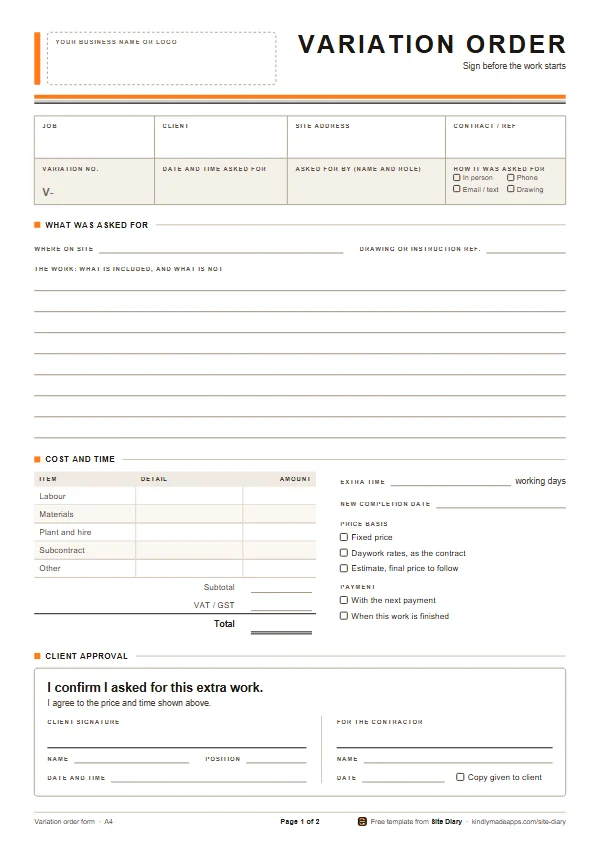
Worded for the United States and Canada. Working in the UK, Ireland, Australia, New Zealand or South Africa? Use the variation order form.

Free, no sign-up. Each PDF is 2 pages and about 10 KB.

Last updated

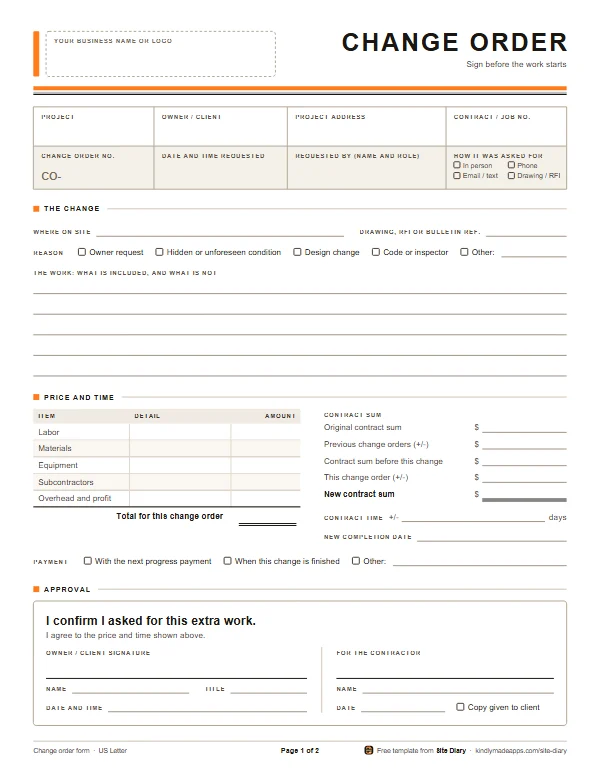
Page 1 of the free change order form: boxes for the project, owner, address, contract number, change order number, date requested, who requested it and how, then the reason, the work, a cost breakdown, the contract sum before and after, contract time, payment, and an approval box that says “I confirm I asked for this extra work.”
Page 1 of 2, on US Letter

What’s on it

One signed page for every change

Page 1 is the whole agreement: the change, the price, the new contract sum and schedule, and the signatures. Page 2 tracks every change order on the project.
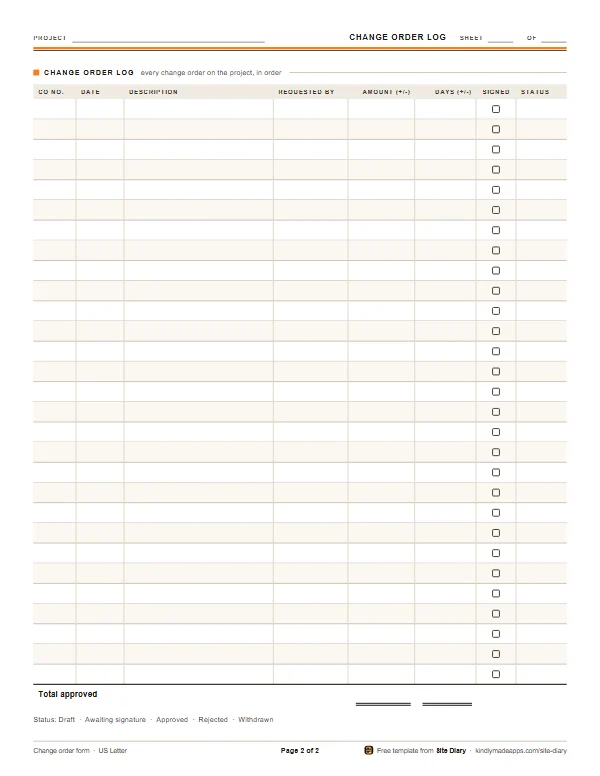
Page 2: the change order log, a table with a row for each change order: number, date, description, who requested it, amount, days added or taken off, a box to check when signed, and status, with a total for approved change orders.
Page 2: the change order log

Page 1: the change order

  • A box for your business name or logo
  • Project, owner or client, address and contract or job number
  • Change order number, the date and time requested, who requested it and how
  • Where on site, any drawing, RFI or bulletin reference, and the reason for the change
  • The work: what is included, and what is not
  • Cost: labor, materials, equipment, subcontractors, and overhead and profit
  • The contract sum before and after, the days added, and the new completion date
  • Signatures from the owner and from you, under the words “I confirm I asked for this extra work.”

Page 2: the change order log

  • Every change order on the project, in order
  • Date, description and who requested it
  • The amount and the days, added or taken off
  • A box to check when it is signed
  • Status: draft, awaiting signature, approved, rejected or withdrawn
  • A total of approved change orders

What a change order is, and why it matters

A change order is a written agreement to change the work, the price or the schedule in your contract. Outside North America it is called a variation. Most fights over extra work come down to one question: did the owner ask for it and agree to pay? A signed change order answers it.

  • Getting paid. It shows the owner asked for the work and agreed the price, before you spent the money.
  • Avoiding disputes. The scope is written down, so “I thought that was included” has nowhere to go.
  • Protecting the schedule. Extra work takes extra time. Adding the days now means you aren’t blamed for finishing late.
  • Keeping the contract sum straight. Each change order moves the contract sum, so the final invoice holds no surprises for either side.

What to fill out, field by field

Change order number
CO-001, CO-002 and so on, one series per project. Keep rejected and withdrawn ones in the log so the numbers have no gaps.
Project details
The project, owner or client, address, and the contract or job number.
Who requested it, when and how
The name and title of the person who asked for the change, the date and time, and whether it was in person, by phone, by email or text, or on a drawing or RFI response. Make sure they can order changes under your contract: an owner can, while a project manager or the architect may or may not.
Where, the reference and the reason
The room, floor or grid line; any drawing, RFI or bulletin number; and why: an owner request, a hidden or unforeseen condition, a design change, a code or inspector requirement, or something else.
The work
Exactly what is included, and what isn’t. “Add two duplex outlets on the kitchen island, on the existing circuit, with boxes and cover plates; patching and painting by others” leaves little to argue about.
Cost breakdown
Labor, materials, equipment, subcontractors, and overhead and profit, with the total for this change order.
Contract sum
The original contract sum, the net change from previous change orders, the sum before this change, this change (plus or minus), and the new contract sum.
Contract time
How many days the change adds or takes off, and the new completion date. Leave this blank and you may lose the time.
Payment
Whether it is paid with the next progress payment, when the change is finished, or on other terms you agree.
Approval
The owner or client signs under the words “I confirm I asked for this extra work.” Then they print their name and title, and add the date and time. You sign for the contractor, give them a copy, and check the box to say you did.

A worked example: the contract sum

Say your contract was for $48,000, and two earlier change orders added $2,350. The owner now asks for a wider window opening in the back bedroom, which you price at $1,180, with one extra day. The contract sum block on the form then reads:

  • Original contract sum: $48,000.00
  • Previous change orders: + $2,350.00
  • Contract sum before this change: $50,350.00
  • This change order: + $1,180.00
  • New contract sum: $51,530.00
  • Contract time: + 1 day, with the new completion date written beside it.

Each change order carries the running total forward, so the owner always knows where the price stands, and the final invoice holds no surprises.

Good practice

  • Get it signed before the work starts. If the work truly can’t wait, write it in your daily report, confirm it by email or text the same day, and get the change order signed as soon as you can.
  • One change per change order. Bundled changes are hard to price and easy to dispute.
  • Price it first wherever you can. If not, agree time and materials with the rates in writing, and get daily tickets signed.
  • Take photos before and after, with the date and time on them, especially of hidden conditions and anything that will be covered up.
  • Keep the log up to date, so you always know which changes are still waiting for a signature.
  • Keep copies, and send the owner a photo or scan of the signed change order the same day.

Common mistakes

  • Starting on a verbal “go ahead” and meaning to do the paperwork later.
  • Vague scopes like “extra electrical” or “kitchen changes.”
  • No price, or no days, on the change order.
  • Forgetting the contract sum, so nobody knows the running total.
  • The wrong person signing: someone without authority to order changes.
  • Leaving unsigned change orders to chase at the end of the job.
  • Ignoring changes that remove work, so the credit is argued over instead of agreed.

Notes for the US and Canada

Your contract’s change procedure comes first: who can order a change, how it must be given, and how quickly you must price it and claim time.

  • AIA contractsUnder AIA A201, changes are made by change order (agreed by the owner, contractor and architect), by construction change directive (the owner and architect, before the price and time are agreed), or as a minor change ordered by the architect. The AIA’s own change order form is G701.
  • ConsensusDocsConsensusDocs 202 is its change order form, signed by both parties. ConsensusDocs 203 is an interim directive for when the work has to go ahead before a change order is agreed.
  • California home improvementA change order is not enforceable against the homeowner unless it sets out the scope of the work, the amount added or taken off, and the effect on progress payments or the completion date, and the homeowner cannot require extra work without written authorization (Business and Professions Code section 7159.6). Other states have their own rules.
  • CanadaCCDC 2, the standard stipulated price contract, makes changes by change order when the price and time are agreed, or by change directive when the owner needs the work to go ahead first. A change directive is then valued on your costs plus overhead and profit, so keep daily records of the work.

Paper or phone?

Or get it signed on your phone in 60 seconds

Site Diary turns a change order into a one-minute job on site:

  • Write what was asked for, the price and any extra time.
  • Hand the owner your phone. They sign under “I confirm I asked for this extra work.”
  • The signature records the time and, with location on, where it was signed.
  • Send the signed change order as a PDF before you start the work.

Coming soon to Google Play

Free for your first 2 months, no card needed.

See everything Site Diary does

A client signing extra work in the Site Diary app, “Upgrade the rear window sills to oak,” with the price and half a day extra, under the words “I confirm I asked for this extra work.”
Shown with UK words and pounds. Set to the US or Canada, Site Diary says change order.

Change order questions

What is the difference between a change order and a change directive?

A change order is agreed by both sides, with the price and time settled. A change directive (a construction change directive in AIA contracts) tells the contractor to go ahead before the price and time are agreed, and they are settled later. Keep daily records of the labor, equipment and materials on any work done under a directive.

Does the owner have to sign before work starts?

It is the safest rule, and some states set requirements for home improvement work: in California, for example, the homeowner cannot require a contractor to do extra or change-order work without written authorization. Otherwise, follow the change procedure in your contract.

What should go into the price of a change order?

Labor, materials, equipment, subcontractors, and overhead and profit, plus permit fees or other direct costs if the change brings any. Add the time too: if the change adds days, put them on the form, because a schedule change you don’t ask for is hard to get later.

Can a subcontractor use this change order form?

Yes. The owner or client is whoever you have the contract with, which for a sub is usually the general contractor. Check your subcontract for who can order changes and how quickly you have to price them.

How should I number change orders?

In order, one series per project: CO-001, CO-002 and so on. Keep rejected and withdrawn ones in the change order log too, so there are no gaps in the numbers.

Is a change order the same as a variation?

Yes. Builders in the UK, Ireland, Australia, New Zealand and South Africa call it a variation or variation order. The variation order form is the same idea with their words and A4 first.

More free templates