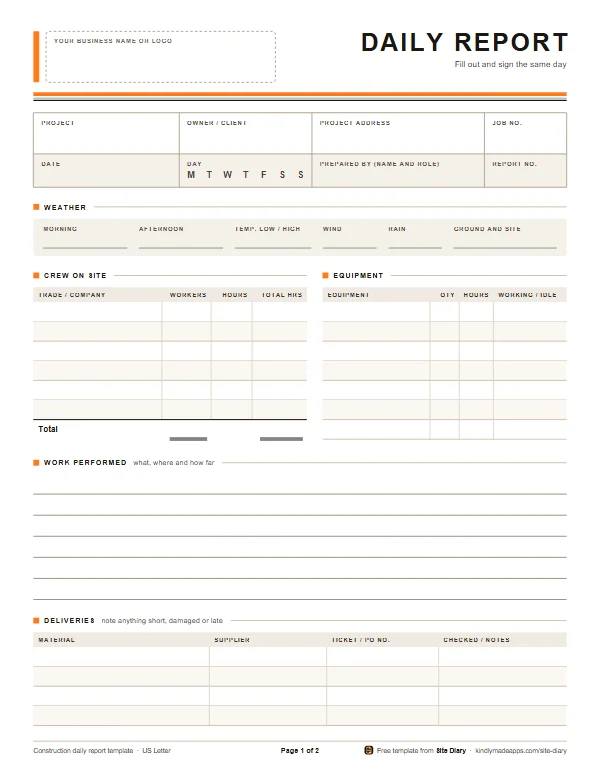
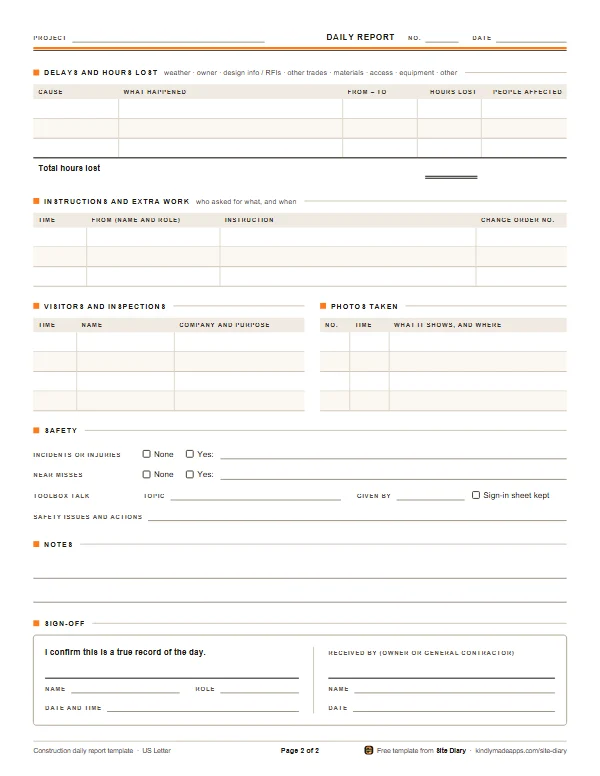
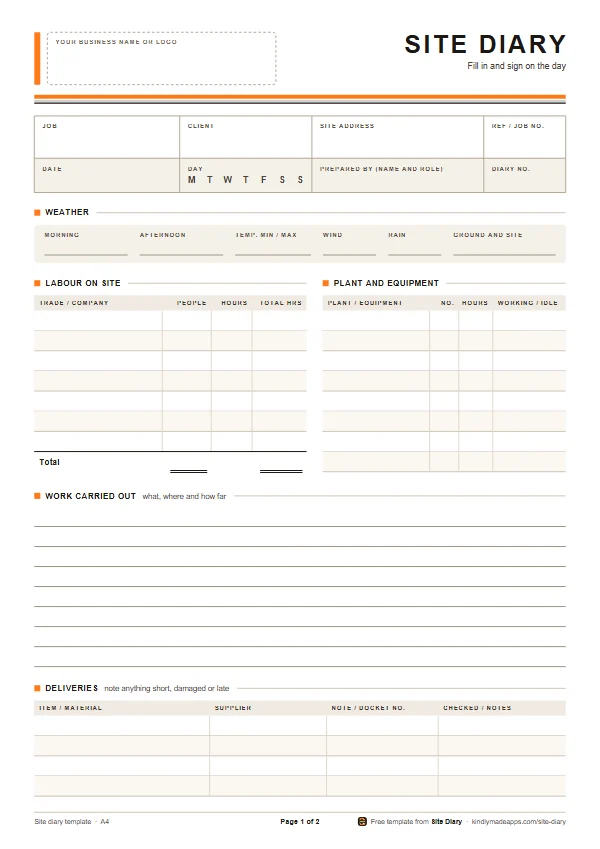
A two-page daily log to print and fill out by hand: the weather, crew and equipment on site, work performed, deliveries, delays and hours lost, instructions, visitors and inspections, safety, photos taken and a signed sign-off.
Worded for the United States and Canada. Working in the UK, Ireland, Australia, New Zealand or South Africa? Use the site diary template.
Free, no sign-up. Each PDF is 2 pages and about 10 KB.
Last updated
Page 1 of 2, on US Letter
What’s on it
A full day on the project, on two pages
One report for each project, each day. Every section has room to write by hand, with ruled lines and tables that print cleanly in black and white.
Page 2 of 2
Page 1
A box for your business name or logo
Project, owner or client, address and job number, the date, the day and the report number
Weather: morning, afternoon, low and high temperature, wind, rain, and ground and site conditions
Crew on site, with total workers and hours
Equipment: hours, and whether it was working or idle
Work performed: what, where and how far
Deliveries, with the ticket or PO number
Page 2
Delays and hours lost, with the cause and a total
Instructions and extra work, with the change order number
Visitors and inspections
Photos taken: when, and what each one shows
Safety: incidents, near misses and the toolbox talk
Notes
Sign-off by you, and by the owner or general contractor
Why keep a daily report
A construction daily report, or daily log, is the record of one day on one project: who was on site, what got done, what was delivered, what held up the work, who visited and what was said. Written the same day and signed, it is the record everyone goes back to when memories differ.
It pays for itself in four ways:
Disputes. When an owner or general contractor argues about what happened, notes made at the time usually carry far more weight than memories pieced together months later.
Change orders and getting paid. The log shows who asked for what, and when. That backs up a change order, and it catches the small extras you would otherwise forget to bill.
Delays and time extensions. Hours lost to weather, late answers to RFIs, other trades or access problems, written down on the day, are what a request for more time is built on.
Safety. Toolbox talks, near misses and incidents recorded on the day show you were running a safe site, and help if anything is ever investigated.
It also helps you run the business. A few weeks of logs show where the hours really went, which is worth knowing when you bid the next job.
What to record, section by section
Use one report per project per day. Keep entries short and specific: numbers, times and locations beat adjectives.
Project details and report number
The project name, owner or client, address and job number, the date, and the day of the week (circle it). Number the reports in order, 1, 2, 3 and so on, so a missing day stands out.
Weather
Morning and afternoon conditions, the low and high temperature, wind and rain or snow. Then the ground and site conditions, such as “mud, no access for the excavator” or “frost until 10:00.” Weather only matters to a claim when it stops or slows the work, so say when it did.
Crew on site
Every trade and company on site, including other subs, not just your own crew: how many workers and how many hours each. Multiply them for the total hours. If a trade that was scheduled didn’t show, write that down too.
Equipment
What was on site, how many, the hours used, and whether it was working or standing idle. Idle rented equipment costs money, and you will want proof of it if the delay wasn’t your fault.
Work performed
What, where and how far. “Framed second-floor exterior walls, grid lines A to D” beats “framing.” Note anything finished, tested, inspected or covered up.
Deliveries
The material, the supplier and the delivery ticket or PO number. Note anything short, damaged, late or rejected.
Delays and hours lost
The cause, what happened, when it started and stopped, the hours lost and how many workers it affected. Typical causes are the weather, the owner, missing design information or unanswered RFIs, other trades, materials, access and equipment.
Instructions and extra work
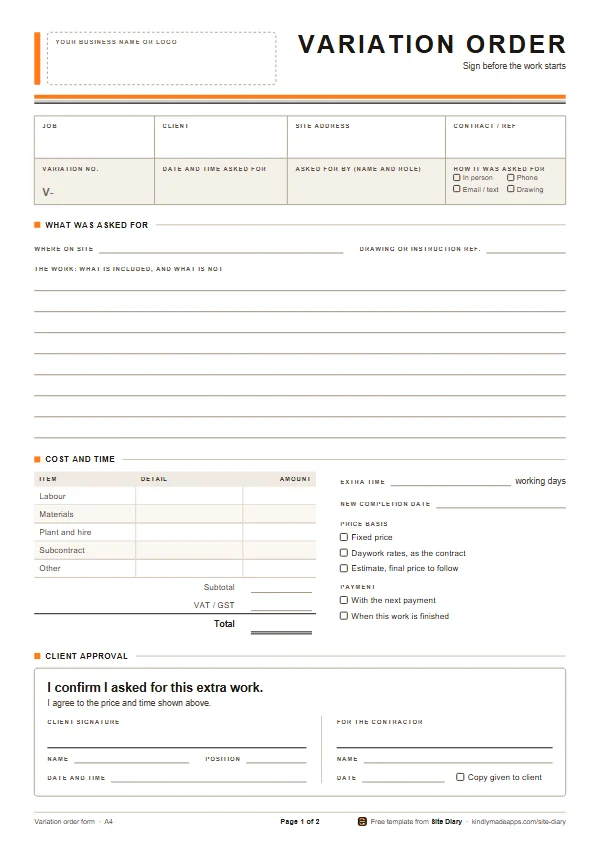
Who asked for what, and when, including anything said in passing on site. If it changes the scope, price or schedule, write it up on a change order form and get it signed before you do the work.
Visitors and inspections
The time, name, company and why they came: the owner, the architect or engineer, the building inspector, the general contractor’s superintendent, suppliers. Note what each inspection found.
Photos taken
Number each photo, note the time and say what it shows and where. Make sure the photos themselves show the date and time.
Safety
Incidents, injuries and near misses (or check “none”), the day’s toolbox talk and who gave it, and any safety problems and what was done about them.
Notes and sign-off
Calls, emails and anything to follow up go in the notes. Then sign and date the report at the end of the day. If the owner or the general contractor will sign it as received, even better.
Good practice
Write it the same day, on site. A week written up on Friday night is easy to pick apart. If you have to fill out a day afterwards, say so and date it.
Stick to facts. “Concrete truck arrived 10:40, scheduled 8:00, 4 finishers waited 2.5 hours” is evidence. “Supplier late again” isn’t.
Use pen, and don’t erase. Cross out with a single line so the original can still be read, and initial it. Add anything you forgot as a dated note.
Sign every report. A signed record is harder to argue with than loose notes.
Take photos with the date and time on them, and list them in the report so each one can be found again.
Keep copies. Photograph or scan each page that day, and keep the paper somewhere dry. The one report that gets lost is usually the one that mattered.
Keep them for years. Claims about defects or payment can come long after a project ends, and the deadlines vary by state and province. Keep the logs with the contract, drawings and change orders.
Common mistakes
Gaps. No report for slow days, rained-out days or days you weren’t there. “Rained out, no one on site” is a record too.
Vague entries such as “general work” or “usual crew.”
Leaving out short delays. They add up, and you can’t prove them later.
Not writing down verbal instructions. “Just move that outlet while you’re at it” is how unpaid extra work starts.
Only counting your own crew. Other trades on site, and the ones who didn’t show, often explain a delay.
Writing reports up later as if they were written on the day.
No copies. Paper gets wet, lost or thrown out with the trash at the end of the job.
Notes for the US and Canada
Most construction contracts say how and when you must give notice of delays, claims and changes, and those deadlines matter more than any template. Read the notice clauses before you start.
United StatesMany projects use AIA or ConsensusDocs contracts. Under the AIA’s A201 general conditions (2017 edition), a claim must be started within 21 days after the event that caused it, or within 21 days after you first recognize the condition, whichever is later, so the facts need to be written down as they happen. On safety, OSHA requires employers to instruct each employee in recognizing and avoiding unsafe conditions (29 CFR 1926.21(b)(2)), and a report that records each toolbox talk helps show it was done.
CanadaCCDC 2, the standard stipulated price contract, handles changes by change order or by change directive. When the owner has you go ahead with a change before the price is agreed, the adjustment is based on your costs plus overhead and profit, so log the crew, equipment and materials that went into that work every day. Workplace safety is regulated mostly by each province and territory.
General guidance, not legal advice. Check your contract.
Paper or phone?
Or do it in 60 seconds with the app
Site Diary keeps this same daily report on your phone, made for dusty hands and bad signal:
The weather fills itself in, and Same as last time copies yesterday’s crew and equipment.
Photos are stamped with the date, time and GPS position as you take them.
Sign the day at quitting time and it locks. Later additions go in as dated amendments.
Shown with UK words. Set to the US or Canada, Site Diary says daily report and change order.
Daily report questions
Is a daily report the same as a daily log?
Yes, in practice. Daily report, daily log, daily field report and construction diary all mean the record of one day on one project. Outside North America it is usually called a site diary, and the site diary template is the same form with British words and A4 first.
Who should fill out the daily report?
Whoever runs the work on site that day: the owner, the superintendent, the foreman or the lead. One person per project keeps it consistent. If someone else covers a day, they fill out and sign that day themselves.
Do subcontractors need to keep daily reports?
Many general contractors ask their subs for daily reports, so check your subcontract. Even when nobody asks, your own daily log is the best defense against backcharges and the best support for extra work and lost time.
How long should I keep daily logs?
For years, not months. Claims about defects or payment can come long after a project ends, and the deadlines vary by state and province. Keep the logs with the contract, drawings, change orders and photos.
Can I use this template in Canada?
Yes. It uses the words builders use in the US and Canada, comes in Letter and A4, and the temperature box has no units printed, so write °C or °F.
Can I fill out the daily report on my phone instead?
The PDF is made for printing and filling out by hand. If you would rather keep the log on your phone, the Site Diary app keeps the same record in about a minute a day, stamps your photos with the date, time and place, and makes a PDF report you can send. It is coming soon to Google Play.